U.S. BANK PAYMENT SMART - Tips for keeping your payment devices clean

Monthly tips, best practices, and industry news from the Chamber's preferred provider of point-of-sale systems - and more

A message from your Account Manager

Make your payment terminal the star of the season

Holiday foot traffic means more chances to make an impression on customers. Be confident that you can effectively handle increased holiday sales volume by adding a device on a temporary basis and then returning it when your busy season is over. The starting price is about three cups of craft coffee per month for the latest, industry-leading point of sale solutions.

Adding a temporary device is a simple, straightforward process that I can help you set up. We can usually get the device out to you within a week. 

Tips for keeping your payment devices clean

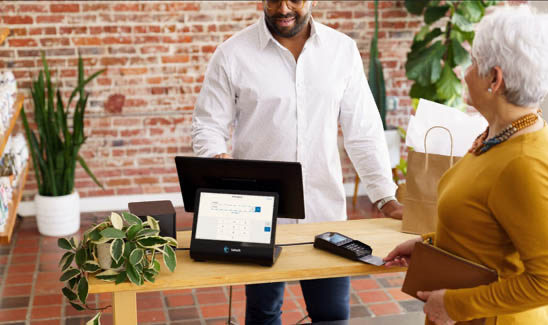
Customer paying using credit card

To care for and extend the life of your payment devices, it is recommended to periodically clean and disinfect your device. Check out these tips for how to best care for your terminals without damaging them.

How often should you clean a machine? 
The frequency really depends on where the terminal is placed, and the number of people that come in contact with it. We recommend a general cleaning and disinfecting once a week or as soon as you see that the terminal is dirty. Unplug all wires, cables and power sources from a terminal prior to cleaning.

General cleaning
Use a lint-free soft cloth that is slightly soaked with soapy water to clean the outside of a terminal. The cloth should be moist but not dripping. Use a dry cloth for more sensitive areas on the terminal. Avoid getting moisture between any cover glass and plastic housing. Do not spray cleaning solution on a terminal directly. Spray a cloth before wiping down the device.

Do not use solvents, detergents or abrasive chemicals that could damage a terminal’s plastic, rubber parts or electrical contacts.

If you use a smartphone or tablet to accept payments through our free talech Mobile app on Google Play or Apple Store, we recommend checking your devices’ brand website. Most brands offer safe cleaning tips for special surfaces.

Cleaning a card slot
Use a ‘cleaning card’ made specifically for card readers. Card slots should not ever have moisture exposure.

Optimize for peak performance
A well-maintained device should also be operating up-to-date terminal software to maintain compliance with card network data security standards and ensure smooth operation. Enable auto-download in your device settings so updates happen automatically, keeping your system secure and ready for the holiday rush.

Back to top


U.S. Bank survey looks at small business stressors 

Florist owner holding digital tablet and smiling in front of her flower shop

U.S. Bank released its third Small Business Perspective survey report revealing how owners across the country are responding to an environment defined by rapid change. 

The nationwide survey of 1,000 small business owners explored how they are navigating challenges ranging from economic stressors to the rise of generative AI, all while remaining focused on long-term growth, succession planning and leaving a lasting legacy.

What we learned
“This year’s survey makes it clear that small business owners are committed to future-proofing their businesses in response to today’s economic climate and rapid technological change,” said Shruti Patel, Chief Product Officer for Business Banking at U.S. Bank.

“From embracing generative AI to responding to shifting economic conditions like tariffs and thinking proactively about succession, owners are serious about the future of their businesses. There is a real opportunity – and responsibility – for financial institutions to show up as strategic partners in helping small businesses navigate what’s next,” said Patel.

Back to top


Striving to make meaningful community impact 


We believe every employee should have the opportunity to give back to their community in a way that is meaningful to them. In 2024, employees recorded over 312,000 hours – delivering financial education, serving on nonprofit boards, sharing skills-based services and volunteering. Engagement levels remain just as strong in 2025.

Most recently, members of our Knoxville-based Elavon team volunteered with the Urban League* for an annual Shoes for School initiative for families in need, and members of our Atlanta-based team took part in a two-day home build and yard maintenance with Habitat for Humanity.*

When disasters strike, we’re also there to help
Our customers have felt the effect of several devastating events this year, from wildfires to weather incidents. When customers face damage to their business or temporary closures, we do what we can to help them recover.

Elavon reviews postal codes in federally or provincially designated disaster areas, and for a period of time, we monitor the payment processing activity of customers located in the impact zones. 

We attempt to contact customers that have not presented any transactions during this time of monitoring. Even if they are unreachable, as long as we don’t see any processing activity, we temporarily disable their monthly fees. We re-establish their current contract fees after a 90-day period for customer accounts that become active again. We also offer customers with weather-damaged equipment a free swap to help them get back to business as soon as possible. 

Giving back to our communities and supporting our customers through their ups and downs is part of how we invest in the future.

Back to top


You can help by sharing your Elavon experience 

Woman employee behind coffee shop counter working on computer

When you’re looking for a product or service, do you go online to see what others say about the experience they’re having? If so, you’re not alone. Your fellow business owners are also combing through online reviews to find guidance — and when it comes to payment services, they could benefit by hearing from you about the solutions and value you get from Elavon.

We encourage you to share your genuine feedback by going to our Elavon Google Reviews* site and providing your comments. Not only will it help us continue to improve our service to you, but your input will be greatly appreciated by other business owners.

Back to top


Who do you call?

Call Customer Care at 800-725-1243 or email custserv@elavon.comwith questions about: 
  • Daily account activity and funding 
  • Point-of-sale terminal or PC product issues 
  • Your monthly billing statement 

Contact your Customer Account Manager with questions about:

  • Managing card processing for your business 
  • Product and equipment information and training
  • Other payment solutions or services that may be available to you


Manage all aspects of your payments online

Payments Insider

  • View statements, reports, file downloads and more
  • Securely view your account information anytime, anywhere
Powered By GrowthZone